Printer Is in an Error State on Windows 11: 9 Fixes That Work (2026)
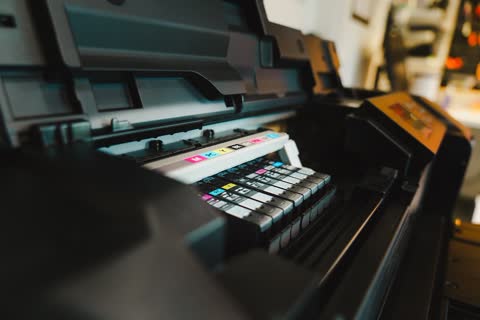
Windows shows "Printer is in an error state" when the printer reports a problem it cannot describe. Nine ordered checks separate a physical fault from a spooler or driver fault.
Practical, tested walkthroughs for printer setup, drivers and error-code fixes — updated for the latest models and operating systems.
Windows shows "Printer is in an error state" when the printer reports a problem it cannot describe. Nine ordered checks separate a physical fault from a spooler or driver fault.
Most printers estimate ink from pages printed, not from what is left in the tank, so a full cartridge can still report empty. Here is how to override the warning brand by brand.
Most printer problems need a restart or a network reset, not a full factory reset. Here is how to do each on HP, Canon, Epson and Brother, and what to write down first.
"Not responding" can mean the computer can't reach the printer, the printer itself has hung, or the app froze waiting for the driver. Each has a quick test and a different fix.
Most printer problems are fixed by the same ten checks done in the right order. Start at step one, stop when it prints, and use the symptom table to jump to the right guide.
Most scan-to-email failures are sign-in problems: Gmail needs an app password and Microsoft 365 is retiring password sign-in for SMTP. Here are the settings and the fixes.
Since macOS 15 Sequoia, apps need Local Network permission to reach a printer on your Wi-Fi. That single setting explains most printers that vanish after a macOS update.
Windows 11 now installs most printers driverless with Windows Ready Print, which can quietly replace a vendor driver and take duplex, trays and scanning with it.
The "printer not activated" errors come from the Amyuni PDF driver used by QuickBooks and Sage, not from your physical printer. They are permission and driver faults.
The right home-office printer depends on monthly volume, whether you need color, and three features: an ADF, automatic duplex and a wired or reliable wireless connection. This checklist narrows it to one category in five minutes.
Laser is better for text, volume and printers that sit idle; inkjet is better for photos and color on a budget; ink tank beats both for high color volume. Here is how to decide, with real cost-per-page numbers.
Most printer failures are preventable: dried printheads, dusty rollers, worn drums and stale firmware. This is the maintenance routine a technician would set up, for inkjets and lasers, with the exact menus.